
Route sheets, packing slips, paper invoices, "call me about that shortage", every one of those is a place money leaks. Here's what delivery looks like when the whole day is digital, in one system.
So many distributors still run their most money-critical hours, the delivery, on paper. Which means every day includes some of this:
Every order for the route is loaded, tracked, and managed in one place, you know exactly what goes on the truck.
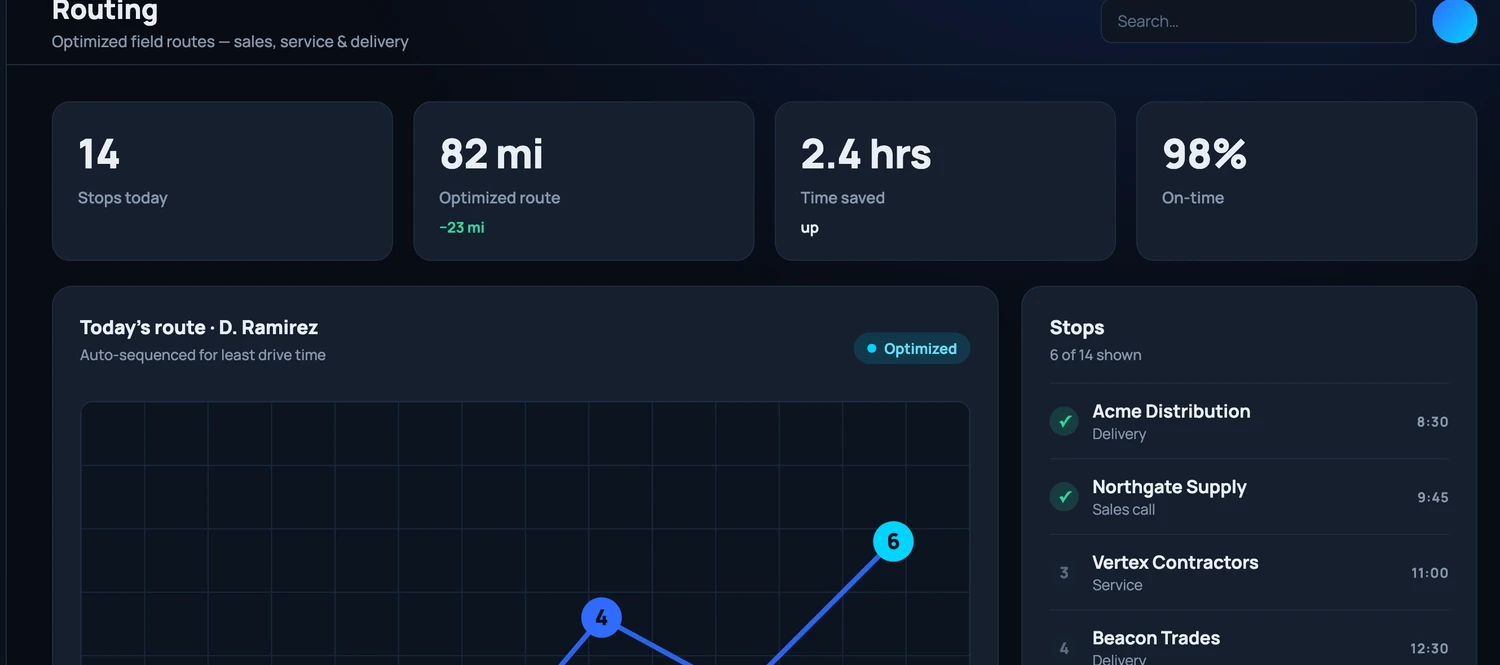
Delivery stops are sequenced and optimized automatically. No more marking up a printed map.
Drivers run their DOT inspection digitally, logged, time-stamped, and stored automatically.
Before the wheels roll, drivers photograph the load. If a dispute comes later, you have proof of how it left the dock.
Stops sequenced, a driver and vehicle assigned, and every order on board accounted for, the dispatch board your team actually runs the day from.
The driver confirms exactly what came off the truck against the order, no guessing, no "we think it was all there."
The customer signs on the device. Delivery confirmed, on the record, instantly.
Photos at the door document the condition and quantity of everything delivered.
The invoice reflects what was actually delivered, generated and emailed before the driver leaves the parking lot.
Collect and apply payment right there. No waiting for paper invoices to cycle through the mail.
Not an app for signatures, a clipboard for counts, and a folder of invoices, one flow, one record, one truth.
At the end of the day, the system compares what was ordered, what was loaded, what was delivered, what was signed for, and what was billed, and flags every discrepancy for you.
Shortages, overages, damaged goods, missed items, handled the same day with photo evidence attached, instead of surfacing weeks later as an angry phone call or a quiet write-off.
One system. No paper invoices, no packing-slip archaeology, no wondering what actually left the truck. Just deliveries that close themselves out.
Distributors from $5M to $1.5B run their sales, orders and deliveries on Workd. Live on the ERP you already run in two to four weeks.