
Your Business Needs a Command Center — Here's What That Actually Looks Like in 2026

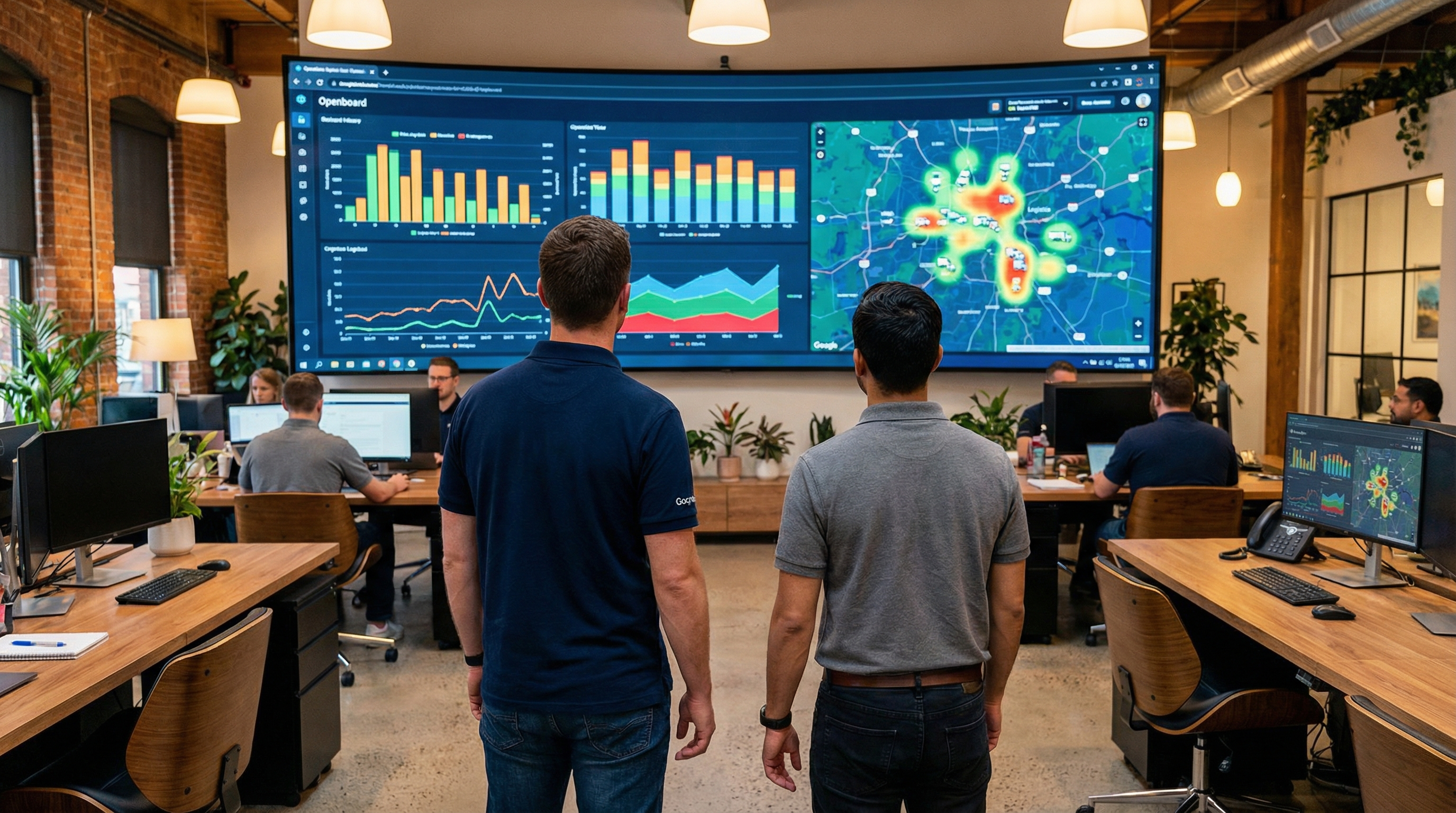
Forty percent of dashboard users say their dashboards don't support decision-making, according to a 2025 survey by Luzmo of SaaS and product leaders. Another 51% say they can't interact meaningfully with their data. And 36% report it takes too long to find the insights they need. The average user rates their dashboards a mediocre 3.6 out of 5.
These numbers describe the reality at most mid-market B2B companies: dozens of logins, disconnected metrics, and a growing sense that all this data isn't actually making anyone smarter. The typical distributor has an ERP, a CRM, a warehouse management system, an accounting platform, an email marketing tool, and at least three spreadsheets that someone swears are "the source of truth." None of them talk to each other in real time. Nobody has a single view of what's actually happening across the business.
That's what a command center solves. Not another dashboard — a unified operational layer that connects the systems you already have and surfaces the information that actually matters, when it matters.
A Command Center Is Not a Dashboard
The distinction matters. A dashboard is a report that updates. A command center is a decision engine that acts.
Dashboards show you what happened. They're retrospective by design — last month's sales numbers, last quarter's fill rate, yesterday's shipment count. A command center shows you what's happening right now and what's about to happen next. It pulls live data from across your operations, correlates signals that would otherwise sit in separate systems, and surfaces exceptions that need human attention.
The concept isn't new in enterprise software. Aptean acquired OpsVeda in January 2026 specifically to add an "AI-powered operations command center" to its Logility supply chain platform, describing the goal as bringing "end-to-end agentic orchestration" to planning and execution. AVEVA has offered a Unified Operations Center that converges engineering and operations data for end-to-end enterprise visibility. But these are enterprise-tier solutions priced for companies spending millions on supply chain software.
The shift happening now is that mid-market companies can build equivalent visibility using tools and integrations that didn't exist — or weren't affordable — two years ago.
51% of dashboard users say they can't interact meaningfully with their data. 37% say the data shown isn't clear or actionable enough.
— Luzmo State of Dashboards Research, 2025
What a Command Center Actually Does
At its core, a command center solves three problems that dashboards can't:
1. It connects systems in real time, not in reports. Your ERP knows what was ordered. Your WMS knows what's in the warehouse. Your CRM knows which customer called twice this week about a late shipment. A command center connects these signals so that when a shipment is delayed, the system already knows which customer is affected, what the revenue at risk is, and whether there's alternate inventory to fulfill the order. No one has to go tab-hopping to figure this out.
2. It surfaces exceptions, not metrics. The problem with dashboards isn't that they don't contain useful data — it's that they contain too much data. A Luzmo survey found that 34% of users consider their dashboards too cluttered, with too much irrelevant information making it harder to find valuable insights. A command center inverts this: instead of presenting 50 metrics and leaving it to a human to spot the problem, it monitors all 50 and only raises the ones that are off-track. You see what needs attention, not everything that exists.
3. It enables action, not just awareness. The most important difference. When a command center surfaces an issue — a major account's order hasn't shipped, an AR balance just crossed 60 days, a sales pipeline stage has stalled — it should offer a path to resolution. Not just a red number on a screen, but a button that triggers the follow-up email, the escalation to a manager, or the re-allocation of inventory.
The Three Integrations That Matter Most
A command center built on 20 data sources sounds impressive but takes six months and a dedicated IT team. Start with the three connections that cover the majority of operational decisions at a distribution company:
ERP + CRM. This is the foundation. Your ERP holds order history, inventory levels, and fulfillment data. Your CRM holds customer relationships, pipeline stages, and communication history. Connecting them means a sales rep can see real-time inventory when quoting a customer, and an ops manager can see which open orders belong to the company's highest-value accounts. A 2025 Rapidi report on data integration trends noted that 95% of IT leaders cite integration as their primary barrier to AI adoption — and ERP-CRM connectivity is the single most requested integration across mid-market companies.
ERP + Accounting/AR. Revenue recognition, cash flow, and collections all live in a different system from order management at most distributors. Connecting them means you can see, in one view, which customers ordered last week, which invoices are past due, and which accounts represent both high revenue and high collection risk. This turns reactive AR — calling customers after they're 60 days late — into proactive AR, where the system flags risk patterns early.
All of the above + communication channels (email, phone, chat). The most underrated integration. When customer communications — inbound emails, call logs, chat transcripts — feed into the command center, you stop relying on individual reps to report what customers are saying. The system can detect sentiment shifts, flag accounts where communication frequency is spiking (usually a sign of a problem), and ensure nothing falls through the cracks when a rep is out sick.
Where AI Turns Monitoring Into Action
Gartner predicts that 40% of enterprise applications will include task-specific AI agents by the end of 2026, up from less than 5% in 2025. This shift is directly relevant to the command center concept, because AI agents turn passive monitoring into automated response.
Here's what that looks like in practice for a mid-market distributor:
- Order anomaly detection. An AI agent monitors incoming orders and flags anything unusual — a customer ordering significantly more or less than their historical pattern, a product mix that doesn't match the customer's profile, or a shipping address that's never been used before. These anomalies surface in the command center for human review instead of passing through unnoticed.
- Proactive customer outreach. When the system detects that a regular customer's order frequency has dropped — say, they usually order every two weeks and it's been four — an AI agent drafts an outreach email for the sales rep to review and send. The rep didn't notice the pattern. The system did.
- Cash flow forecasting. By combining AR aging data with historical payment patterns and current communication signals, an AI agent can predict which invoices will pay on time and which won't — then automatically escalate the ones that need attention before they go past due.
Gartner predicts 40% of enterprise applications will include task-specific AI agents by the end of 2026, up from less than 5% in 2025.
— Gartner (via Rapidi Data Integration Trends 2026)
How to Build This Without a Six-Figure Budget
Enterprise command centers from vendors like AVEVA or the new Aptean-OpsVeda platform carry enterprise price tags. But the core pattern — unified data, real-time exceptions, automated actions — can be assembled by mid-market companies using a combination of existing tools and modern integration platforms.
Step 1: Pick your hub. Something needs to be the central brain. This could be a lightweight BI tool like Metabase or Grafana, a custom internal dashboard, or even a purpose-built operations platform. The key is that it can pull data from multiple sources through APIs.
Step 2: Connect ERP and CRM first. Use an iPaaS (integration platform as a service) to sync data between your ERP and CRM in real time. Most modern ERPs and CRMs have well-documented APIs. The sync doesn't need to be bidirectional on every field — start with the data points that actually drive decisions: open orders, inventory levels, customer contact info, and pipeline stage.
Step 3: Define your exception rules. This is where most companies go wrong — they connect data but don't define what matters. Sit down with your ops team, your sales leadership, and your AR team. Ask each group: "What's the one thing you wish you knew about immediately instead of finding out two days later?" Those answers become your alert rules.
Step 4: Add AI incrementally. Don't try to deploy AI agents across every workflow on day one. Pick the single highest-value exception — the one that costs the most when it's missed — and build an AI response for it. Test, measure, then expand.
Is your ERP holding you back?
Take our 2-minute ERP Modernization Assessment and find out where your systems are creating blind spots.
Start AssessmentThe Cost of Staying Blind
Worldwide IT spending will hit $6.15 trillion in 2026, growing 10.8% year-over-year according to Gartner's February 2026 forecast. Companies are investing heavily in technology. The question is whether that investment creates visibility or just adds another tab to the browser.
For distribution companies, the cost of fragmented visibility is concrete: orders that ship late because nobody caught the inventory gap, customers that churn because nobody noticed the declining order pattern, cash that collects 15 days slower because AR issues weren't escalated early enough. None of these problems require new technology to solve. They require connecting the technology you already have.
A command center isn't a product you buy. It's a pattern you build — one that unifies your existing systems, filters out the noise, and puts actionable exceptions in front of the people who can fix them. Start with three integrations, define your exception rules, and add intelligence incrementally. The companies that build this now will operate with a clarity their competitors can't match.
Stay ahead of the curve
Get weekly insights on distribution technology and AI automation.
Go Deeper in the Resource Library
Get AI prompts, implementation templates, SOPs, and call scripts built for distribution companies. 47+ resources and growing — free access.
Access the Resource Library — FreeAlso free: Live virtual training sessions — Thursdays 1 PM ET
You don't have to replace your ERP.
Workd is modular — start with one module and expand at your pace. Sits next to Epicor, NetSuite, SAP, Sage.
Free ERP Modernization Assessment